Automate repetitive tasks with Amazon Quick Flows
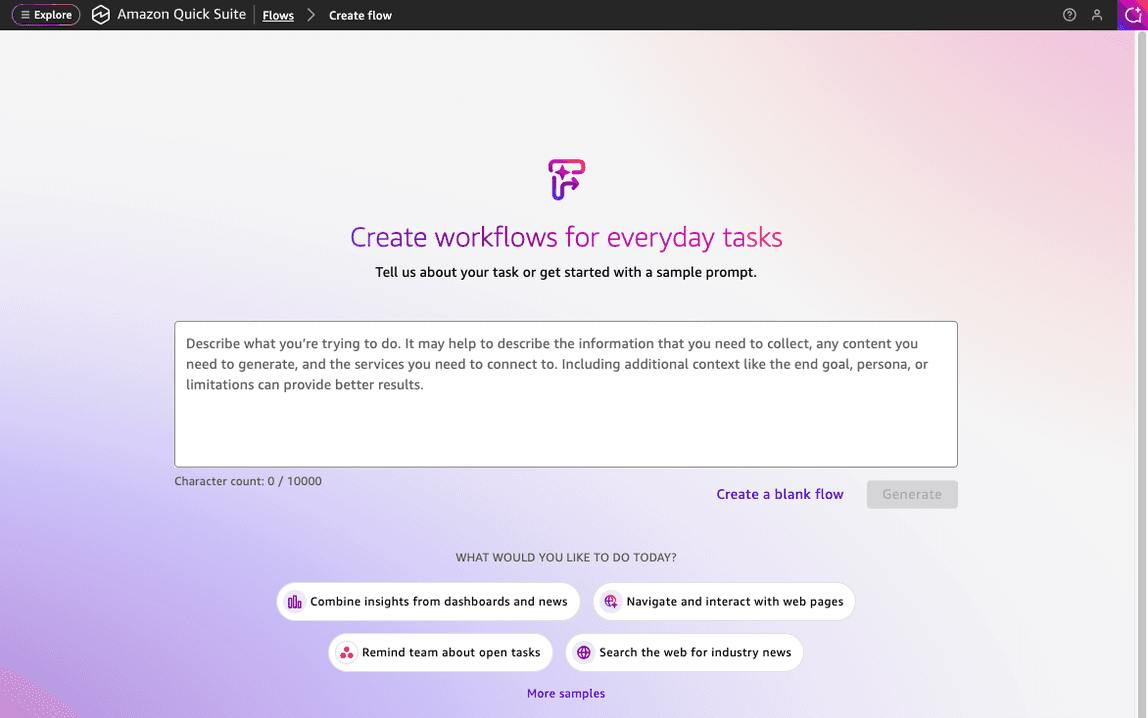
Artificial Intelligence Automate repetitive tasks with Amazon Quick Flows Consider a typical Monday morning: you’re manually copying data from several different systems to create a weekly report, then formatting it for different stakeholders. This single task can consume several hours that could be spent on more strategic work. Multiply this across your team, and these repetitive tasks add up quickly. Amazon Quick Flows automates these tasks using AI workflows. With Quick Flows, you create intelligent workflows using natural language—no coding or machine learning (ML) expertise required. You describe what you want automated, and Quick Flows builds it for you. This post shows you how to build your first AI-powered workflow, starting with a financial analysis tool and progressing to an advanced employee onboarding automation. What is Amazon Quick Flows? Amazon Quick Flows is part of Amazon Quick, a collection of AI-powered features that work together to help you analyze data, automate tasks, and get insights through natural language conversations. This post focuses specifically on Quick Flows for task automation. With Quick Flows, you turn your everyday tasks into automated workflows for individual and team productivity. You create, customize, and share purpose-built AI workflows using your data, insights, and actions available within Amazon Quick. Prerequisites Before building your first flow, ensure that you have an active AWS account with Amazon Quick enabled with permissions to access Quick Flows. For setup instructions, see the Amazon Quick User Guide. Note: Amazon Quick uses generative AI. The specific outputs, responses, and generated content might vary from the examples shown. These variations are normal and expected. Focus on understanding the concepts and benefits rather than matching exact outputs. Build your first flow In this example, you build a Financial Performance Analyzer that gathers real-time market data from the web, analyzes key metrics, and compiles a professional summary based on the information. 1. Navigate to Quick Flows Open your browser, and log in to Quick. Then go to Quick Flows. The flow creation interface appears with a text area to describe your workflow and sample prompts to get you started. Figure 1: The Quick Flows creation interface where you describe your workflow in natural language 2. Enter your prompt In the text area, enter the following prompt: Create a flow that gathers comprehensive company financial research by designing a tool with four key components: (1) Real-Time Market Data gathering current stock prices and daily changes, (2) Financial Metrics Analysis retrieving key ratios like P/E, market cap, and revenue, (3) News Intelligence collecting recent financial headlines and market-moving events, and (4) Professional Analysis compiling analyst recommendations and ratings, each triggered by a company name or ticker symbol input. Quick Flows now knows exactly what you want: a workflow that takes a company name as input and returns a complete financial picture. Quick Tip: You can also create flows directly from your conversations with chat agents in Quick. If you’re already discussing a task or process with an agent, you can convert that conversation into a flow without…