Restrict access to sensitive documents in your Amazon Quick knowledge bases for Amazon S3
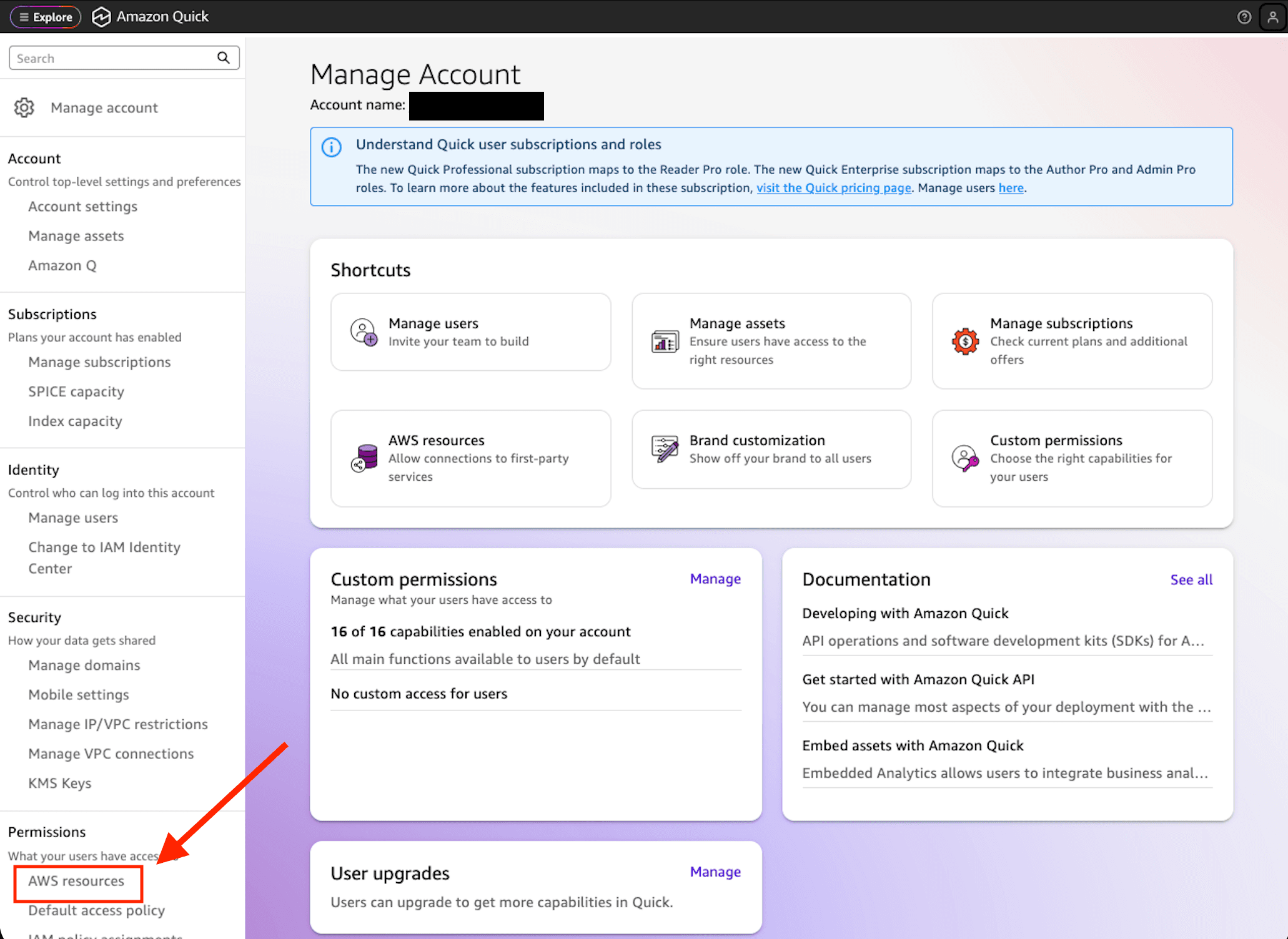
Artificial Intelligence Restrict access to sensitive documents in your Amazon Quick knowledge bases for Amazon S3 Organizations that must restrict access to sensitive documents increasingly rely on AI-driven search and chat to help employees find answers across large repositories. Coarse-grained permissions that control access at the knowledge base level work well for many teams, but sensitive documents require more granular control to restrict specific documents or folders to authorized teams, individuals, or systems. Document-level access control list (ACL) support for Amazon Simple Storage Service (Amazon S3) knowledge bases in Amazon Quick gives you that fine-grained control. You restrict sensitive S3 documents to only the users and groups who should see them, at the document or folder level. When a user asks a question, Quick evaluates their identity against your ACL configuration and only surfaces content that they’re authorized to view. With these controls in place, you can safely bring your full document library into Quick while meeting your compliance and data governance requirements. In this post, we walk through how to configure document-level ACLs for your S3 knowledge base in Amazon Quick. You will learn how to set up and verify an ACL configuration that enforces document-level permissions across chat and automated workflows. The post covers: - Controlling which S3 buckets users can access for knowledge base creation using IAM policy assignments - Planning your access control structure - Choosing between two ACL configuration methods (Global ACL file and document-level metadata files) - Setting up permissions for users and groups - Verifying that your access controls work correctly through chat and ACL-aware Flows - Updating and maintaining your ACL configuration over time How S3 ACL works in Quick You can use the S3 ACL feature in Amazon Quick to attach access permissions to your documents so that chat responses only include content that you’re authorized to view. You specify who can access what documents using standard ALLOW and DENY policies for individual users or groups, and Quick enforces these permissions at query time. There are two ways to configure ACLs, each suited to different operational needs: - Global ACL configuration file (such as ACL.json) – A single centralized file that specifies access permissions at the folder (prefix) level. Use this method when your organization has stable, folder-based permission structures. - Document-level metadata files – Individual metadata files alongside each document that contain per-document access control entries. Use this method when permissions change frequently, because only affected documents need to be reindexed rather than entire folder structures. Choose your approach based on how often permissions change and how granular you need them to be: Understanding reindex scope The reindex scope of your chosen method has meaningful operational implications. With the global ACL approach, a permission change triggers a full reindex of the affected prefix. If your organization requires frequent permission updates, consider using document-level metadata files instead, where only the affected documents are reindexed rather than entire folder structures. Deny-by-default behavior When you enable ACLs on an S3 knowledge base in…